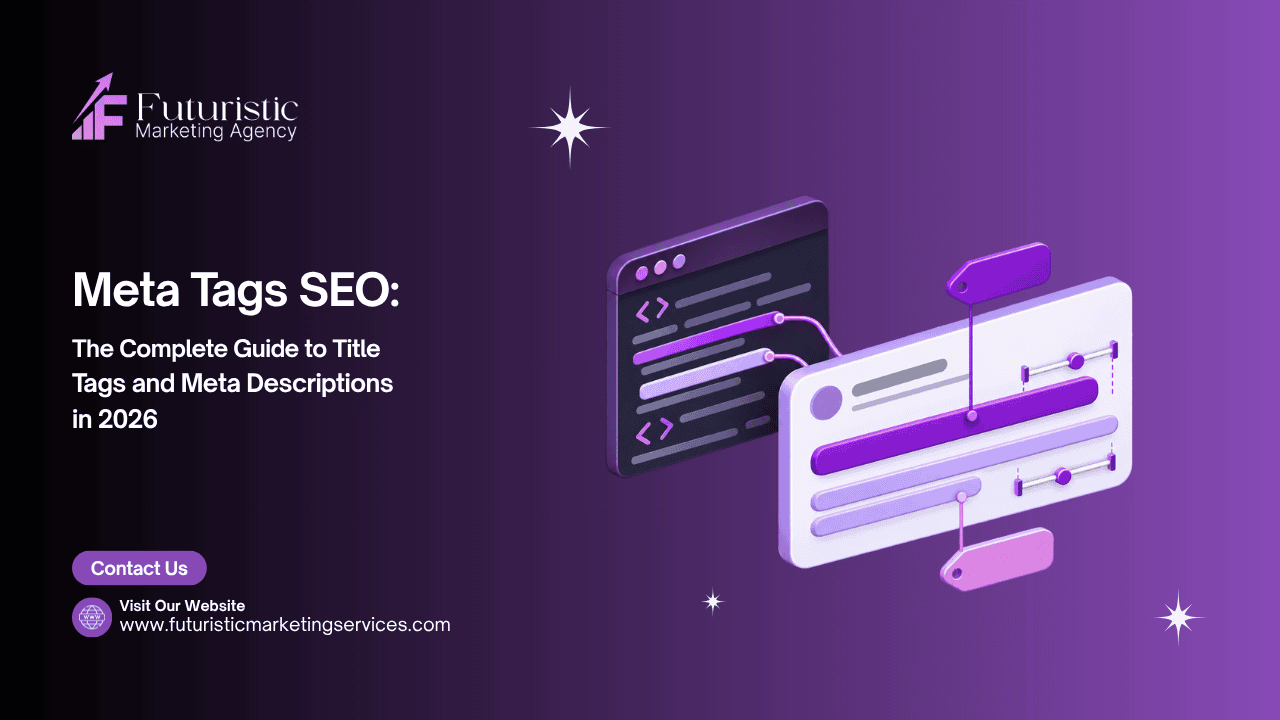
Meta Tags SEO: The Complete Guide to Title Tags and Meta Descriptions in 2026

meta tags seo

Meta tags are HTML elements in a web page’s head section that communicate information about the page to search engines and browsers. For SEO, the two most important meta tags are the title tag (the clickable blue headline in Google search results and the strongest single on-page ranking signal) and the meta description (the paragraph below the title that directly influences whether users choose to click your result over a competitor’s).

This guide covers the complete meta tags SEO framework for 2026: exact title tag length guidelines and formulas for every page type, meta description best practices and CTA structures, how Google rewrites title tags and how to prevent it, open graph tags for social sharing, robots meta tags for crawl control, canonical tags for duplicate content management, and the Google Search Console process for monitoring CTR performance by title tag. Every formula includes real examples you can adapt directly.

Key Takeaways

  • According to Ahrefs, Google rewrites title tags in approximately 61% of cases, almost always because the original title is either too long, keyword-stuffed, or does not match the page's content as Google understands it
  • The title tag ideal length is 50 to 60 characters, longer titles are truncated at approximately 600 pixels (about 60 characters) and important information is cut off in the SERP
  • Meta descriptions do not directly affect rankings, but they directly affect click-through rate, which RankBrain uses as an indirect quality and relevance signal over time
  • Every page on the site must have a completely unique title tag, duplicate title tags across multiple pages signal to Google that those pages cover the same content
  • The title tag formula for every major page type is different, see the formula table in Section 3 and match the format to the dominant pattern in the top 5 SERP results for each target keyword using our search intent guide
  • Google bold-highlights keywords in meta descriptions that match the search query, include the primary keyword naturally in your meta description to increase visual prominence in results

Want Your Title Tags and Meta Descriptions Professionally Optimised?

Futuristic Marketing Services audits and rewrites all meta tags across your site, applying correct formulas by page type, optimising for CTR, and implementing the GSC monitoring process to track performance improvements.

Get a Meta Tag Audit and Rewrite

What Are Meta Tags and Which Ones Actually Matter for SEO

Meta tags are HTML elements placed in the head section of a web page that provide information about the page to browsers, search engines, and social media platforms. The head section is not visible to readers on the page but is read by every crawler and bot that visits your site. Understanding which meta tags directly affect SEO rankings or performance separates the tags worth optimising carefully from those requiring only basic implementation.
Meta TagSEO ImpactWhat It DoesPriority Level
Title tagDirect ranking signal, the most important on-page HTML elementAppears as the clickable headline in SERP; tells Google and users what the page is aboutCritical, optimise for every page
Meta descriptionIndirect, affects CTR which influences RankBrainAppears below the title in SERP; influences whether users click your resultHigh, write carefully for every key page
Canonical tagHigh, prevents duplicate content authority splitTells Google which version of a URL is the preferred, authoritative versionHigh, implement correctly on all pages
Robots meta tagHigh, controls crawl and index behaviourTells crawlers whether to index the page and follow its linksHigh, use carefully; noindex removes pages from search
Open Graph tagsIndirect, affects social sharing appearance and click rateControls how the page appears when shared on Facebook, LinkedIn, Twitter/XMedium, implement for social-active content
Meta keywordsNone, completely ignored by Google since 2009Previously used for keyword signals; now a legacy tag with zero ranking impactNone, do not spend time on this tag

Title Tag Optimisation, The Most Important On-Page Signal

The title tag is the single most powerful on-page HTML element for SEO. It appears as the clickable blue headline in Google search results and is the clearest signal Google has about what a page covers. Ahrefs research found that Google rewrites title tags in approximately 61% of cases, in almost every instance because the original title is too long, mismatches the page content, or is clearly written for stuffing keywords rather than communicating value to searchers. Writing good title tags that Google keeps is as important as writing them in the first place.

Title Tag Length and Technical Rules

Google truncates title tags that exceed approximately 600 pixels in width, which translates to roughly 60 characters for a typical font mix. Titles over 60 characters are displayed with a trailing ellipsis, cutting off the end of the title and potentially hiding the most persuasive part of your headline. Target 50 to 60 characters. Include the primary keyword naturally, it does not need to be at the very start of the title but should appear in the first half. Include a benefit, outcome, or differentiating value proposition that gives the user a clear reason to click your result over the others on the page.

Title Tag Formulas by Page Type

Page TypeTitle FormulaCharacter TargetReal Example
Informational blogPrimary Keyword: What the Article Covers50 to 58 charsInternal Linking Strategy: The Complete SEO Guide for 2026
How-to guideHow to [Achieve Outcome] [Qualifying Context]52 to 60 charsHow to Build Backlinks That Actually Improve Rankings
Service pageService + Location/Audience + Benefit50 to 58 charsSEO Services in Mumbai for Measurable Organic Growth
Product pageBrand + Product Name + Key Attribute48 to 58 charsAhrefs Site Explorer: Complete Backlink and Ranking Analysis
Comparison articleOption A vs Option B: Key Difference Explained52 to 60 charsAhrefs vs Semrush: Which SEO Tool Delivers Better Data?
Category or pillarComplete Guide to [Topic] + Year if time-sensitive50 to 58 charsComplete Guide to Technical SEO: Audit and Fix Process

Meta Description Optimisation, Increasing Click-Through Rate

The meta description does not directly influence Google's ranking algorithm, Google has confirmed it is not a ranking factor. However, it directly determines whether a user who sees your result in the SERP chooses to click it or chooses a competitor's result instead. Moz research confirms that well-optimised meta descriptions improve click-through rates by up to 5.8%, and higher CTR is an indirect RankBrain quality signal that influences rankings over time for any page receiving significant impressions.

Meta Description Length and Rules

Write meta descriptions between 140 and 155 characters. Shorter descriptions waste the available space for conveying value. Longer descriptions are truncated at approximately 920 pixels, cutting off your call to action. Include the primary keyword once naturally, Google bold-highlights words in meta descriptions that match the searcher's query, making your snippet stand out visually in the results page. End with a clear call-to-action word or phrase: Learn how, Discover, Get, Find out, Start with, Compare.

Meta Description Formulas by Search Intent

Search IntentFormulaReal Example (140-155 chars)
Informational[What the user learns] + [Specific benefit] + [CTA]Learn how internal linking distributes PageRank and builds topical authority. Complete strategy with anchor text rules, silo architecture, and audit process. Start optimising today.
Commercial Investigation[What you can compare] + [Key differentiator] + [CTA]Compare the top keyword research tools for 2026. In-depth analysis of Ahrefs, Semrush, and Keyword Planner across 8 key criteria. Find the right tool for your budget.
Transactional[Service/product benefit] + [Trust signal] + [CTA]Expert SEO services for businesses in Mumbai and across India. Data-driven strategies, transparent reporting, and proven organic growth results. Get a free consultation today.
Local[Service] + [Location] + [Differentiator] + [CTA]Looking for a trusted local SEO specialist in Bhopal? We optimise Google Business Profiles, citations, and local content for map pack and organic rankings. Call today.

Canonical Tags, Preventing Duplicate Content Issues

The canonical tag (rel=canonical) tells Google which version of a URL is the preferred, authoritative version when multiple URLs serve the same or very similar content. Without correct canonical tags, Google may index multiple versions of the same page and split the authority signal between them, diluting the ranking power of what should be a single strong page. Common duplicate content situations requiring canonical tags: HTTP and HTTPS versions of the same URL, www and non-www versions, URL parameter variations (tracking parameters, session IDs, sort/filter parameters in e-commerce), and syndicated content published on multiple domains.
The canonical tag appears in the HTML head section as: link rel=canonical href=https://yourdomain.com/preferred-url/. Every page should have a self-referencing canonical tag pointing to its own URL, this explicitly confirms to Google that this URL is the intended canonical version and prevents parameter-generated duplicates from splitting authority. Validate canonical implementation using Screaming Frog and verify correct canonical URLs in Google Search Console under the URL Inspection tool.

Robots Meta Tags, Controlling Crawl and Index Behaviour

The robots meta tag tells search engine crawlers how to treat a specific page. It appears in the HTML head as: meta name=robots content=index,follow (the default, Google can index the page and follow its links). The two most important robots directives for SEO management are: noindex (tells Google not to include the page in search results, use for thank-you pages, admin pages, duplicate content, and low-value pages) and nofollow (tells Google not to follow links on the page, rarely needed for whole-page application; apply nofollow at the individual link level instead).
Critical caution: accidentally applying noindex to important pages through a theme update, plugin conflict, or CMS setting change is one of the most common causes of sudden traffic drops. Check the Indexing report in Google Search Console regularly and investigate immediately any unexpected increases in noindex pages. Also confirm that pages you want indexed are not accidentally blocked by both a noindex tag and a robots.txt Disallow rule, a page blocked by robots.txt cannot be discovered to have its noindex tag read, creating an indexation failure.

How to Monitor Meta Tag Performance in GSC

Meta tag effectiveness is measurable through click-through rate (CTR) data in Google Search Console. Navigate to Performance, then filter to see impressions and CTR for your top pages. Compare your actual CTR against the expected CTR benchmark for your average ranking position: position 1 averages approximately 28% CTR, position 3 approximately 10%, position 5 approximately 7%, and position 10 approximately 2.5%. Pages significantly below the benchmark for their position are underperforming with RankBrain, their title tags and meta descriptions are not compelling enough to earn the clicks their ranking position should generate.
For any page with CTR significantly below the positional benchmark: rewrite the title tag to include a clearer benefit or more compelling value proposition, rewrite the meta description with a stronger call-to-action, wait 4 to 6 weeks for Google to recrawl and update the snippet, and compare CTR before and after to measure the improvement. This is one of the fastest ranking improvements available, higher CTR feeds directly into RankBrain's quality signal, which over time produces ranking improvements on top of the traffic gains from higher CTR alone.

Ready to Improve Your SERP Click-Through Rate With Better Meta Tags?

Our SEO team audits all title tags and meta descriptions across your site against CTR benchmarks, identifies underperformers, and rewrites them using proven formulas that earn more clicks for the same ranking position.

Start Your Meta Tag Optimisation

Frequently Asked Questions

Q. What is a title tag in SEO?

A. The title tag is an HTML element in a page's head section that specifies the page's title. It appears as the clickable blue headline in Google search results and is the most important single on-page HTML element for SEO. A well-optimised title tag includes the primary keyword, communicates a clear benefit or value proposition, and stays within 50 to 60 characters to avoid truncation in search results. Google uses the title tag as one of its strongest signals for understanding what a page is about and which queries it should rank for.

Q. What is the ideal title tag length for SEO?

A. The ideal title tag length for SEO is 50 to 60 characters. Google truncates title tags that exceed approximately 600 pixels in width, which corresponds to roughly 60 characters for most font mixes. Titles over 60 characters are displayed with trailing ellipsis, potentially hiding the most persuasive part of your headline. Titles under 50 characters waste available space that could communicate additional value to searchers. Count characters carefully and test how your title displays in a SERP preview tool before publishing.

Q. Does the meta description affect SEO rankings?

A. The meta description does not directly affect Google's ranking algorithm, Google has confirmed this. However, it significantly affects click-through rate, which is an indirect ranking signal through RankBrain. A page consistently receiving higher CTR than expected for its ranking position will gradually earn higher rankings over time. A page with low CTR relative to its position will gradually lose rankings. Well-written meta descriptions that clearly communicate the page's value and include a call-to-action consistently improve CTR, making them an important indirect ranking factor.

Q. Why does Google rewrite my title tags?

A. According to Ahrefs research, Google rewrites title tags in approximately 61% of cases. The three most common causes: (1) the title tag is too long and gets truncated in the SERP, causing Google to create a shorter version; (2) the title tag is keyword-stuffed or does not naturally represent the page's content; (3) the title tag does not match the primary search intent Google has determined for the page. Prevent rewrites by keeping titles under 60 characters, writing naturally for the user rather than keyword density, and matching the title to the dominant intent in the top-5 SERP results for your target keyword.

Q.What is a canonical tag and when should I use it?

A. A canonical tag (rel=canonical) tells Google which version of a URL is the preferred, authoritative version when multiple URLs serve the same or similar content. Use it in these situations: HTTP and HTTPS versions of the same page, www and non-www URL variants, URL parameter duplicates from tracking codes or session IDs, sort and filter parameter variants in e-commerce, and content syndicated across multiple domains. Every page should also have a self-referencing canonical tag pointing to its own URL, this explicitly confirms to Google that this page is the intended canonical version and prevents parameters from creating unintended duplicates.

Q. How do I check if my meta tags are working?

A. Check meta tag performance through two sources. Google Search Console Performance report: filter to see impressions, clicks, and CTR for your key pages and compare actual CTR against the positional benchmark (position 1 should average approximately 28% CTR; position 3 approximately 10%). Pages significantly below benchmark have underperforming title tags or meta descriptions. Google URL Inspection tool: shows exactly what Google sees as your title and description for any URL, useful for identifying when Google is rewriting your meta tags rather than using your original versions.

Q. What is the difference between a robots meta tag and robots.txt?

A. The robots meta tag is an HTML element on a specific page that tells crawlers how to treat that specific page (whether to index it and follow its links). Robots.txt is a file at the root of your domain that tells crawlers which sections of the site they are not allowed to crawl at all. An important distinction: a page blocked by robots.txt cannot be crawled, so its noindex meta tag cannot be read, meaning the noindex instruction never reaches Google. To de-index a page from Google's index, use the noindex meta tag without blocking it in robots.txt. To completely prevent crawling (while keeping existing indexed versions), use robots.txt Disallow.

Get Meta Tags That Earn More Clicks From Every SERP Impression

At Futuristic Marketing Services, we write title tags and meta descriptions to proven formulas, matched to page type, search intent, and CTR benchmarks, that convert SERP impressions into clicks and clicks into qualified organic traffic.

Talk to an On-Page SEO Specialist

Conclusion

Meta tags are the first and most persistent impression your pages make in Google search results. The title tag determines whether Google correctly understands and ranks your page for the right queries. The meta description determines whether users who see your result choose to click it over a competitor's. Getting both right produces a compound improvement: better rankings from a stronger title tag signal, and more traffic from the same rankings through a higher click-through rate on the meta description.
Start with a meta tag audit using Google Search Console to identify pages with CTR significantly below their positional benchmark, these are your highest-priority rewrites. Apply the title tag formulas by page type, write meta descriptions matched to search intent with clear calls-to-action, and implement self-referencing canonical tags on every page. Combine meta tag optimisation with the complete on-page SEO guide for a full page-level optimisation programme.
Share this post :
Picture of Devyansh Tripathi
Devyansh Tripathi

Devyansh Tripathi is a digital marketing strategist with over 5 years of hands-on experience in helping brands achieve growth through tailored, data-driven marketing solutions. With a deep understanding of SEO, content strategy, and social media dynamics, Devyansh specializes in creating results-oriented campaigns that drive both brand awareness and conversion.

All Posts