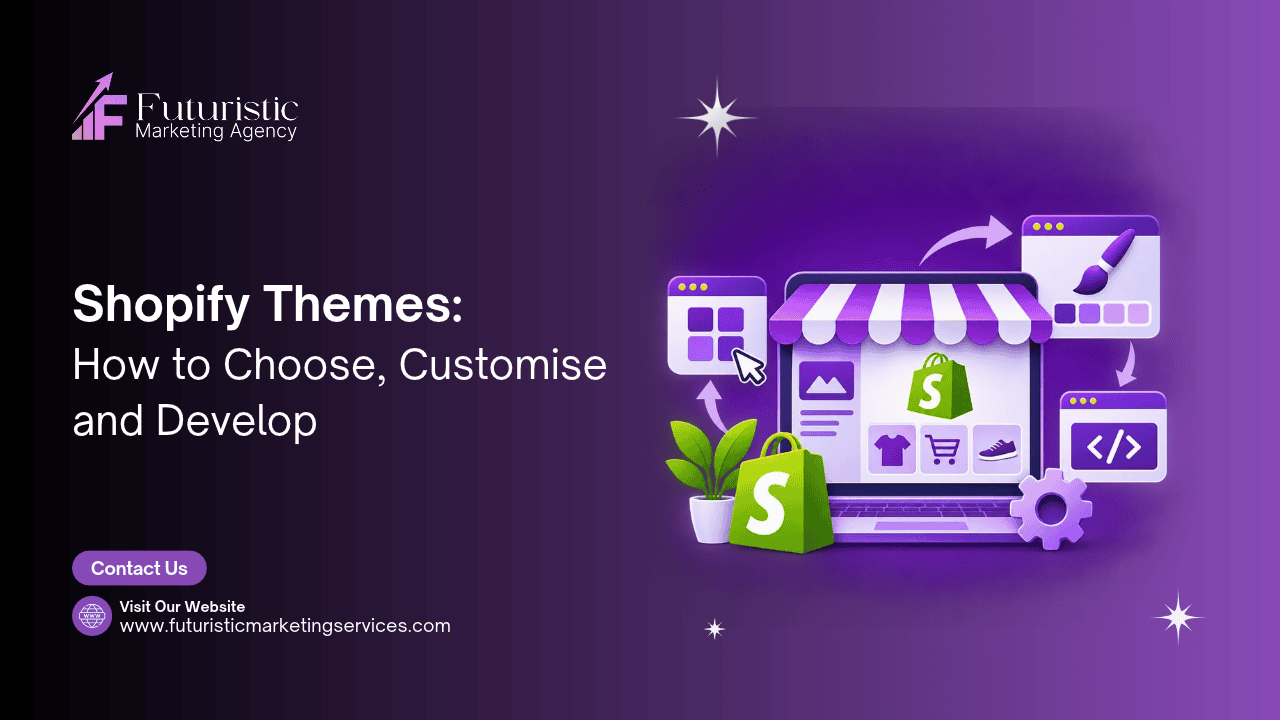
A Shopify theme is the template that controls the visual design, layout, and user experience of a Shopify store, built with Shopify’s Liquid templating language and JavaScript. Themes determine the first impression visitors receive, the navigation structure they encounter, the checkout flow they complete, and the mobile experience that over 60% of eCommerce traffic demands. The theme choice directly affects conversion rate, page speed, and the organic rankings driven by <a href=”https://futuristicmarketingservices.com/Blogs/web-development/core-web-vitals-optimization/”>Core Web Vitals</a> performance. Getting the theme decision right is the single highest-leverage visual decision in any Shopify project.
Key Takeaways
- According to Shopify Theme Store data, the store has 9 free themes and 150 or more premium themes at £130 to £320 one-time cost. Premium themes offer significantly more built-in sections, design flexibility, and performance optimisation than free themes, for most professional stores the premium investment is justified within the first month of improved conversion rate.
- Dawn, Shopify's free reference theme built on Online Store 2.0 architecture, achieves 70 to 85 on mobile Lighthouse, making it one of the best-performing Shopify themes available. It is the correct default choice for any new Shopify store that has not yet identified a strong commercial reason to use a different theme.
- Theme performance directly affects both conversion rate and search rankings. A theme scoring 65 on mobile Lighthouse converts at a lower rate than one scoring 80, because page speed is a direct conversion factor. It also ranks lower for the same content because Core Web Vitals are confirmed Google ranking signals.
- Online Store 2.0 (OS 2.0) is the architectural standard for all modern Shopify themes. OS 2.0 themes support "sections everywhere", the ability to add, remove, and reorder content sections on any page type (not just the homepage). All themes published to the Shopify Theme Store since 2022 are built on OS 2.0. Avoid themes that have not been updated to OS 2.0 standard.
- Custom Shopify theme development in Liquid is justified when: the brand visual identity cannot be achieved with any premium theme customisation; the store requires unique section types not available in any existing theme; or the business requires performance above 85 Lighthouse that standard themes cannot achieve. Cost: £8,000 to £30,000. See our web development services guide for the decision framework.
- For maximum Shopify performance (88 to 98 Lighthouse), Shopify Hydrogen, the React-based headless storefront framework, is the correct architecture. Hydrogen decouples the Shopify front-end from the back-end, enabling a pre-rendered static React front-end served from a CDN edge. Appropriate for enterprise merchants where sub-2-second LCP is a hard requirement.
- Every Shopify theme should pass a pre-launch performance checklist: mobile Lighthouse 65 or higher; all images in WebP format with explicit dimensions; no render-blocking scripts in the head; fonts loaded with preload and font-display: swap; and no more than 3 app-injected scripts running on all pages. See our website speed guide for the full performance framework.
Shopify Theme Help
Professional Shopify Theme Selection, Customisation and Development
Futuristic Marketing Services selects, customises, and develops Shopify themes, from premium theme configuration to fully custom Liquid theme builds with performance validation.
Get Shopify Theme HelpFree vs Premium Shopify Themes
| Factor | Free Shopify Themes (9 available) | Premium Shopify Themes (150+ from £130 to £320) |
|---|---|---|
| Design quality | High, Shopify's free themes are professionally designed | High to very high, more varied aesthetics and design systems |
| Built-in sections | Limited, 12 to 20 section types typically | Extensive, 30 to 60 or more section types in premium themes |
| Design flexibility | Moderate, limited colour, font, and layout customisation settings | High, more settings, more sections, more layout combinations |
| Performance (mobile Lighthouse) | 70 to 85 (Dawn, Craft, Ride are strongest free options) | 60 to 82, varies significantly; some feature-heavy premium themes score lower than free themes |
| Built-in conversion features | Basic, announcement bars, testimonials, featured collections | Advanced, countdown timers, popup subscribe forms, trust badges, comparison tables |
| Support | Shopify community forums and documentation | Theme developer support, typically 6 to 12 months included |
| Update frequency | Regular, Shopify maintains free themes actively | Variable, depends on the individual developer or studio |
| Best for | New stores testing the market; stores with developer resources for customisation | Established stores with clear brand direction and conversion feature requirements |
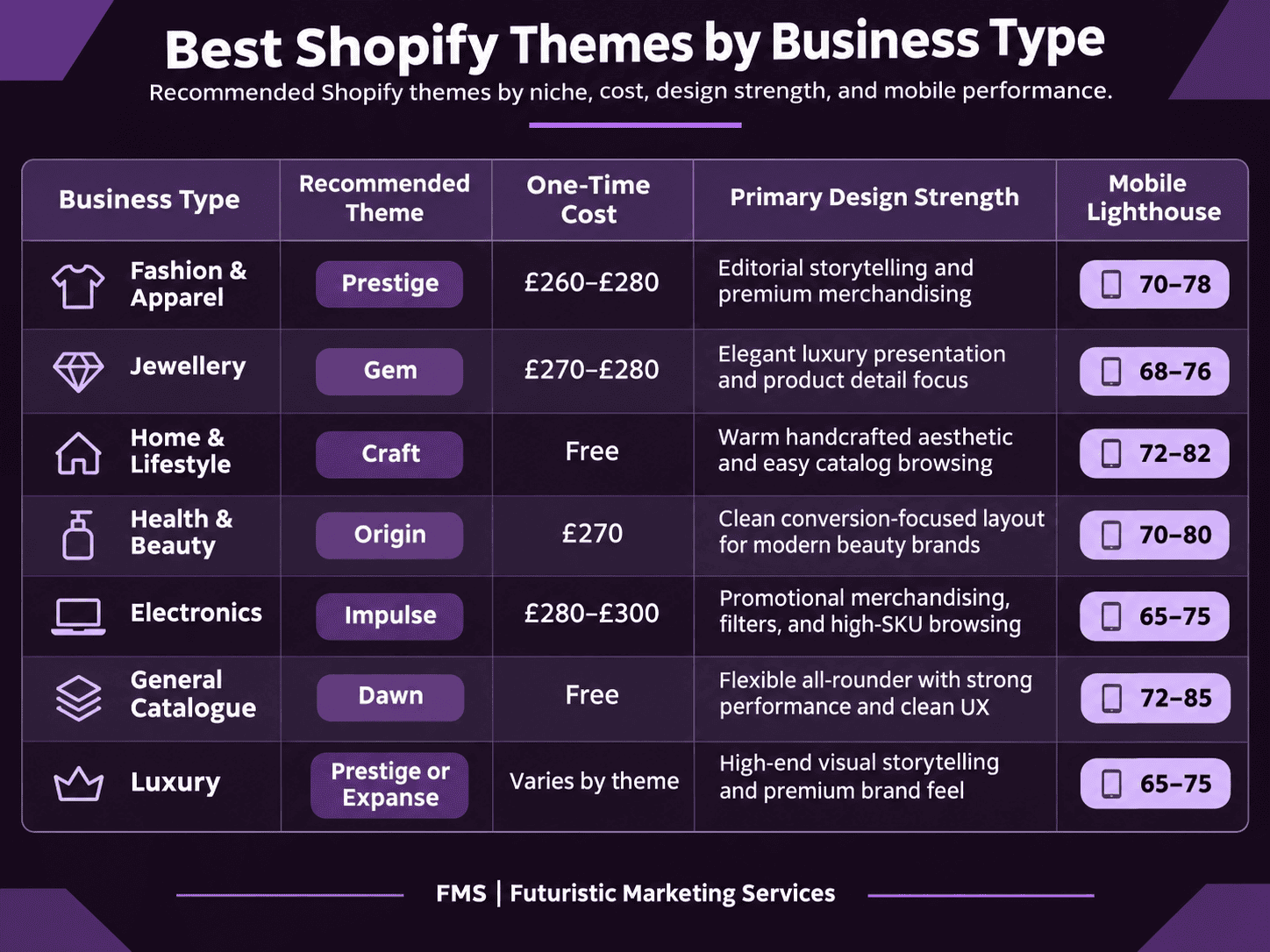
Best Shopify Themes by Business Type
| Business Type | Recommended Theme | Cost | Why It Fits | Mobile Lighthouse |
|---|---|---|---|---|
| Fashion and apparel | Prestige (premium) or Crave (premium) | £260 to £280 | Full-width editorial imagery; outfit builder sections; size guide integration; Instagram-style lookbook layouts | 70 to 78 |
| Jewellery and accessories | Gem (premium) or Cascade (premium) | £270 to £280 | Product zoom capability; metal and stone variant visualisation; gift packaging sections; minimalist aesthetic | 68 to 76 |
| Home and lifestyle | Craft (free) or Symmetry (premium) | Free / £260 | Large lifestyle imagery; room scene builder; product detail sections; editorial content blocks | 72 to 82 |
| Health and beauty | Origin (premium) or Refresh (free) | £270 / Free | Ingredient highlight sections; before and after comparison; trust certification display; subscription upsell | 70 to 80 |
| Electronics and tech | Impulse (premium) or Streamline (premium) | £280 to £300 | Comparison tables; technical specification sections; large inventory filtering; buy box optimisation | 65 to 75 |
| General merchandise / large catalogue | Dawn (free) or Warehouse (premium) | Free / £280 | Performance-optimised for large SKU counts; advanced filtering; predictive search; bulk product display | 72 to 85 |
| Luxury and high-AOV | Prestige (premium) or Expanse (premium) | £260 to £300 | Full-screen video; editorial storytelling sections; white-space-led layout; high-end brand aesthetic | 65 to 75 |
Online Store 2.0 and Liquid Customisation
Shopify Theme Customisation Levels
Level 1: Theme Editor (no code)
Shopify Admin → Online Store → Themes → Customise opens the no-code theme editor. Add, remove, and reorder sections; change colours and fonts; configure section settings. Safe for non-technical team members. Covers 80% of standard customisation requirements on OS 2.0 themes.
Level 2: Custom CSS
Shopify Admin → Online Store → Themes → Edit Code → Assets → base.css. Add CSS overrides for typography, spacing, and colour changes not available in the theme editor settings. Relatively safe for developers with CSS knowledge, does not affect Liquid logic.
Level 3: Liquid template modification
Edit .liquid template files in the Snippets, Sections, Layout, and Templates folders. Enables: conditional content display; custom product data rendering; new section logic. Requires Liquid knowledge and a development environment. Always test in a theme duplicate before editing the live theme. See our web development services guide.
Level 4: Custom section development
Build new Liquid section files from scratch with schema.json settings that appear in the theme editor. Enables client-manageable custom content blocks, announcement systems, comparison tables, interactive product guides, that are not available in the base theme.
Level 5: Full custom theme
Build an entirely bespoke Shopify theme using Shopify CLI and the Dawn theme as a starting reference. Full design control; custom Liquid architecture; performance engineering. Cost: £8,000 to £30,000. Justified when the brand visual identity or conversion requirements cannot be met by any premium theme. For maximum performance, consider Shopify Hydrogen instead.
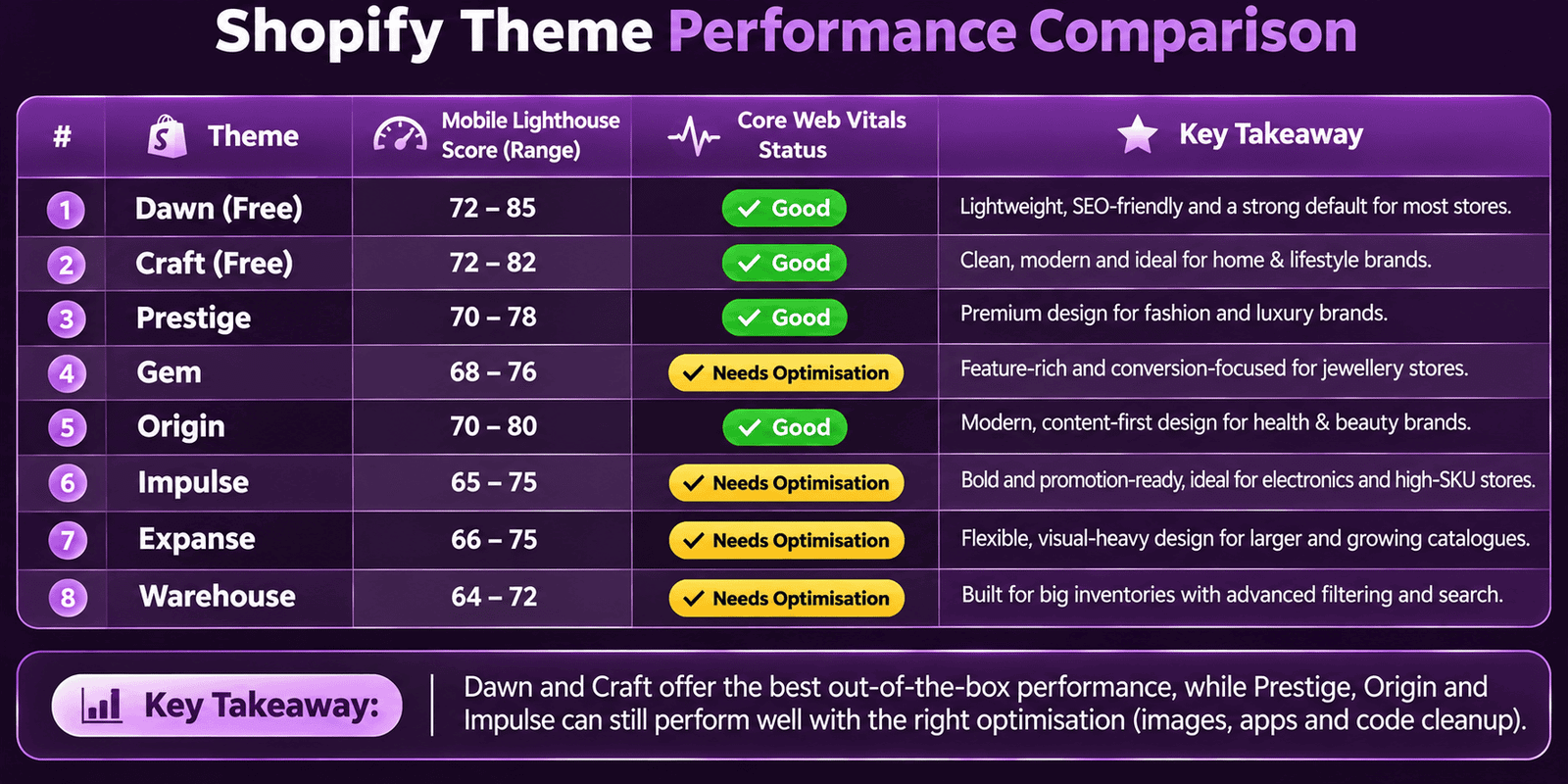
Shopify Theme Performance Benchmarks
| Theme | Mobile Lighthouse | Desktop Lighthouse | Core Web Vitals Status | Notes |
|---|---|---|---|---|
| Dawn (free) | 72 to 85 | 90 to 98 | Good (achievable) | Shopify's reference theme, best free performance option; minimal JS overhead |
| Craft (free) | 70 to 82 | 88 to 96 | Good (achievable) | Strong performance for lifestyle and editorial stores; clean CSS architecture |
| Ride (free) | 68 to 80 | 86 to 94 | Good (achievable) | Performance-optimised free theme for active lifestyle brands |
| Impulse (premium) | 65 to 75 | 82 to 92 | Needs Improvement to Good | Feature-rich with comparison tables, more JS than Dawn; requires image optimisation |
| Prestige (premium) | 60 to 75 | 80 to 90 | Needs Improvement to Good | Beautiful editorial layouts, more media-heavy; hero video can affect LCP |
| Warehouse (premium) | 70 to 83 | 88 to 96 | Good (achievable) | Optimised for large catalogues, strong filtering performance; clean code |
| Custom Liquid theme | 75 to 90 | 90 to 98 | Good consistently | Highest performance of standard Shopify themes, requires developer investment |
| Hydrogen (headless) | 88 to 98 | 95 to 100 | Good consistently | Maximum performance, React SSG front-end on Vercel edge; enterprise cost |
Custom Theme
Shopify Theme Development That Performs and Converts
Futuristic Marketing Services builds and customises Shopify themes, from premium theme configuration to fully bespoke Liquid theme development with Core Web Vitals performance validation.
Get a Shopify Theme QuoteFrequently Asked Questions About Shopify Themes
What are Shopify themes?
Are free Shopify themes good enough?
What is the best free Shopify theme?
How much do premium Shopify themes cost?
What is Online Store 2.0?
Can I customise a Shopify theme without coding?
When should I invest in a custom Shopify theme?
What is Shopify Liquid?
How do I install a Shopify theme?
Do Shopify themes affect SEO?
What is the difference between Shopify themes and Hydrogen?
How do I improve a slow Shopify theme?
Futuristic Marketing Services
The Right Shopify Theme, Chosen, Configured and Optimised
Futuristic Marketing Services selects, customises, and performance-optimises Shopify themes for UK merchants, from premium theme configuration to fully bespoke Liquid theme development.
Get Your Shopify Theme Right