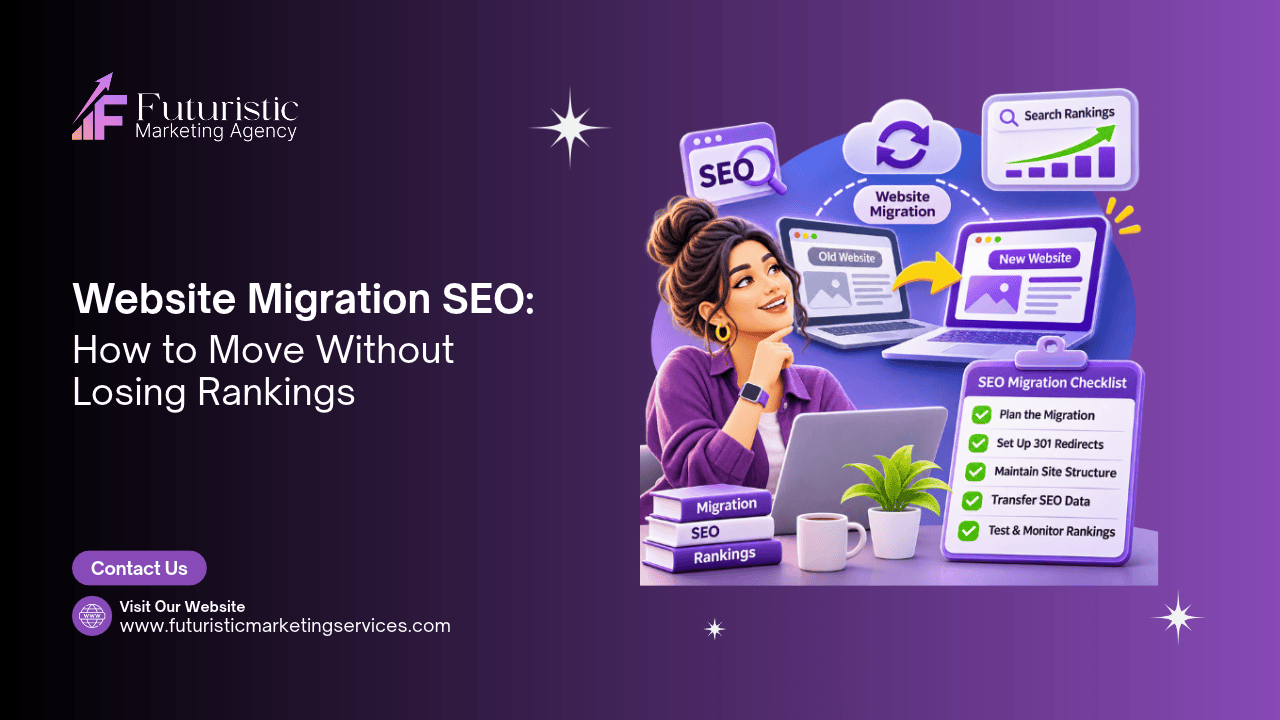
Website Migration SEO: How to Move Without Losing Rankings

website migration seo

Website migration SEO is the process of preserving and protecting organic search rankings when a website undergoes a significant structural change, a domain change, platform migration (e.g. moving from Magento to WooCommerce), URL restructure, HTTPS implementation, or site redesign that changes URLs. Without a structured migration SEO process, a poorly executed migration can destroy years of accumulated organic authority and traffic within days of launch. With the correct process, migrations can be completed with minimal ranking disruption and often produce ranking improvements from the cleaner technical foundation the new site provides.

This guide covers the complete website migration SEO framework, the four types of migration and their risk levels, the pre-migration audit and baseline documentation, the 301 redirect mapping process, the GSC and analytics setup, the technical SEO checklist for the new site, the launch sequence, and the post-migration monitoring programme. Whether you are planning a migration or recovering rankings after one has already gone wrong, this guide provides the complete technical framework.

Key Takeaways

  • Google recommends a structured migration process with 301 redirects from every old URL to its new equivalent. Missing even a small proportion of redirects causes permanent ranking loss for the affected pages, organic authority cannot be recovered without the redirect.
  • The pre-migration audit is the most valuable investment in any migration project. Crawling the existing site with Screaming Frog and exporting every URL, its inbound link count, its organic traffic, and its current title tag produces the redirect mapping source list and the baseline against which post-migration performance is measured.
  • Ranking recovery after a correctly executed migration with 301 redirects takes 3 to 6 months according to Ahrefs research. During this period, rankings may fluctuate significantly before stabilising. A monitoring programme, weekly GSC checks and ranking tracking, distinguishes normal fluctuation from genuine migration problems requiring correction.
  • The most common migration SEO failures: missing 301 redirects for the highest-traffic URLs; noindex tags applied to the new site and not removed before launch (a staging-to-live deployment error); canonical tags pointing to old URLs on the new site; and failing to submit the new XML sitemap to Google Search Console. Each is preventable with a pre-launch checklist.
  • Core Web Vitals performance should be established on the new site in staging before launch. A migration that simultaneously changes URLs and degrades performance signals compounds ranking risk, the migration and the performance change create two simultaneous negative signals.
  • Domain migrations (changing the primary domain) carry the highest ranking risk and the longest recovery timeline. Domain migrations should be avoided unless there is a compelling business reason (brand change, domain consolidation). A domain migration with correct 301 redirects and GSC domain change notification typically recovers rankings within 6 to 12 months.
  • The post-migration observation period is 90 days minimum. During this period, prioritise monitoring over additional changes, layering new URL restructures or design changes on top of a recent migration makes it impossible to attribute ranking changes to their specific cause. Stabilise first, then iterate.

Migration Planning

Protect Your Rankings Through Your Website Migration

Futuristic Marketing Services manages website migration SEO, pre-migration audit, redirect mapping, staging validation, launch checklist, and 90-day post-migration monitoring.

Plan Your Migration

The Four Migration Types and Their Risk Levels

Migration TypeDescriptionSEO Risk LevelRecovery Timeline
HTTPS implementationMoving from HTTP to HTTPS on the same domain and URL structureLow, if 301 redirects and canonical updates are correct2 to 8 weeks for Google to update indexed URLs
CMS platform migration (same URLs)Moving from one CMS to another (e.g. Magento to WooCommerce) while keeping all URLs identicalLow to medium, URL structure preserved; risk from technical differences in new site4 to 8 weeks of monitoring; risk concentrated in technical SEO quality of new CMS
URL restructure (same domain)Changing URL slugs or folder structure within the same domain (e.g. /blog/post to /resources/post)Medium, every changed URL requires a 301 redirect; missed redirects cause permanent loss3 to 6 months for full ranking stabilisation with correct redirects
Domain migrationMoving the entire site to a new primary domainHigh, all accumulated domain authority must transfer via 301s and GSC domain change tool6 to 12 months for full recovery; some authority loss is typical even with perfect execution
Combined migration (domain + URL restructure)Changing domain and URL structure simultaneouslyVery high, compound risk; harder to diagnose individual issues9 to 18 months; avoid unless absolutely necessary from a business perspective

The Rule of One Change at a Time

The most important migration SEO principle: never combine a migration with other significant changes unless unavoidable. If you are migrating platforms, do not simultaneously change the URL structure, update the site design, or implement a new linking architecture. Each change introduces ranking variables that become impossible to diagnose separately when they occur together. Complete the migration, stabilise rankings, then implement iterative improvements.

The Pre-Migration SEO Checklist

The pre-migration phase is the most commercially important phase of the migration process. Every document created here becomes the baseline against which post-migration performance is measured and the source material for the redirect mapping. Skipping this phase is the single biggest mistake in any migration project.
Pre-Migration TaskHow to ExecuteOutput
Full site crawlRun Screaming Frog on the live site, all pages, all status codes. Export to CSV. This is the source list for redirect mapping.Complete URL inventory with status codes, title tags, meta descriptions, inbound link counts, and crawl depth
Organic traffic baselineExport 12 months of organic traffic by page from Google Analytics 4. Sort by sessions. The top 100 organic traffic pages are the highest-priority redirect targets.Top pages by organic traffic, these pages must have working 301 redirects on day one of launch
Backlink profile exportExport all backlinks from Ahrefs or Google Search Console → Links → Top linked pages. Pages with many external backlinks carry the most accumulated authority, their redirects are the highest commercial priority.Pages with significant external link equity, redirect failures on these pages cause the greatest authority loss
Keyword ranking baselineExport current keyword rankings for all target keywords from Ahrefs, Semrush, or GSC → Performance. Record the position of each keyword and the URL currently ranking for it.Pre-migration ranking snapshot, the comparison baseline for post-migration monitoring
GSC property verificationVerify the new domain or subdomain as a property in Google Search Console before migration. Create the new property but do not submit sitemaps until the new site is live.New GSC property ready for sitemap submission on launch day
Staging site technical auditRun a technical SEO audit on the staging site before launch, check for noindex tags, missing canonical tags, broken internal links, missing meta titles, and Core Web Vitals performance.Technical issues list to resolve before any traffic is sent to the new site

The 301 Redirect Mapping Process

The redirect map is a spreadsheet matching every old URL to its new equivalent. It is the most critical document in a migration project, every old URL with organic traffic, backlinks, or internal links that does not have a matching redirect entry is a permanent ranking loss.

301 Redirect Mapping Rules

Map every organic traffic URL

The top-priority redirect category. Export organic traffic by URL from GA4, sort by sessions descending, and map every URL with any organic traffic to its new equivalent. No organic URL should go without a redirect.

Map every linked-to URL

Export all URLs with external backlinks from Ahrefs or Screaming Frog link analysis. Every URL receiving external backlinks must redirect to its new equivalent to preserve the accumulated link authority.

Map every internally linked URL

Run Screaming Frog on the old site and export the inlinks report. Every URL receiving internal links should have a redirect, internal links also transfer authority and affect crawl behaviour.

Direct 301 only, no chains

Every redirect must go directly from the old URL to the new URL. Redirect chains (A redirects to B which redirects to C) lose authority at each hop and add latency. Review for chains in Screaming Frog and collapse all chains to direct 301s before launch.

Redirect to relevant content

Each old URL should redirect to the most topically relevant new URL. A blog post about WordPress SEO redirecting to the homepage loses all topical relevance signal. If no equivalent page exists on the new site, redirect to the closest topically related page.

Homepage and site-wide redirects

Add a catch-all redirect from the old domain root to the new domain root (for domain migrations). Add individual page redirects before the catch-all so specific page matches take priority over the catch-all.

Post-Migration Monitoring

Post-Migration Recovery

Rankings Dropped After a Migration? Get a Recovery Audit

Futuristic Marketing Services provides post-migration SEO recovery audits, identifying missing redirects, indexation failures, and technical issues causing ranking loss, with a prioritised fix plan.

Request a Recovery Audit


Frequently Asked Questions About Website Migration SEO

What is website migration SEO?

Website migration SEO is the process of preserving organic search rankings when a website undergoes significant structural change, a domain change, CMS platform migration (e.g. moving from Magento to WooCommerce), URL restructure, HTTPS implementation, or redesign that changes URL patterns. Without a structured migration SEO process, a migration can destroy years of accumulated organic authority and traffic within days of launch. The process involves: pre-migration audit and baseline documentation, 301 redirect mapping, staging site technical review, structured launch sequence, and 90-day post-migration monitoring.

How long does it take to recover rankings after a website migration?

Recovery timeline depends on the migration type and execution quality. A correctly executed HTTPS migration with working 301 redirects typically stabilises within 2 to 8 weeks. A URL restructure on the same domain with complete redirect mapping takes 3 to 6 months for full ranking stabilisation. A domain migration takes 6 to 12 months. According to Ahrefs research, some authority loss is normal in domain migrations even with perfect execution, the severity is minimised by a complete redirect map and correct GSC domain change notification.

What is a 301 redirect and why does it matter for migration SEO?

A 301 redirect is a permanent URL redirect that tells Google (and all other search engines) that a page has moved permanently to a new URL. 301 redirects pass the accumulated PageRank (link authority) from the old URL to the new URL, typically around 90 to 99% of the original authority. Without a 301 redirect, Google treats the old URL as a 404 (page not found) and the new URL as a brand new page with no history. Every old URL with organic traffic or external backlinks must have a 301 redirect to its new equivalent. Missing redirects cause permanent ranking loss for the affected pages.

What should I check before launching a migrated website?

The pre-launch technical SEO checklist: (1) Verify the staging site is on the correct domain with correct canonical tags pointing to the production domain, not staging URLs. (2) Confirm all noindex tags have been removed from production pages (staging sites are often set to noindex and this setting is accidentally carried to production). (3) Verify all 301 redirects are working, test a sample of the highest-priority URLs. (4) Confirm the XML sitemap contains only canonical, indexable production URLs. (5) Check Core Web Vitals on mobile, run key pages through PageSpeed Insights. (6) Verify Google Search Console is set up for the new domain and property. See our technical SEO audit guide.

How do I do a domain migration without losing SEO?

Domain migration process: (1) Pre-migration: run the full crawl, export organic traffic and backlinks, document all keyword rankings, set up new GSC property. (2) Implement 301 redirects from every old domain URL to its new domain equivalent at the server level, not just the homepage. (3) Update all internal links to point directly to new URLs (reducing reliance on redirects). (4) Submit the new XML sitemap to the new GSC property. (5) Use GSC → Settings → Change of Address to notify Google of the domain change. (6) Reach out to the owners of the highest-value backlinks to update the link directly to the new URL. (7) Monitor GSC Coverage and organic traffic weekly for 90 days.

What are the most common migration SEO mistakes?

The most common and costly migration SEO mistakes: (1) Missing 301 redirects for high-traffic pages, traffic and authority for those pages are permanently lost. (2) Noindex tags from the staging site carried into production, the entire site or significant sections are deindexed. (3) Canonical tags pointing to old URLs on the new site, consolidating authority on the wrong URLs. (4) Not submitting the new sitemap to Google Search Console, slower discovery of new URLs. (5) Changing domain and URL structure simultaneously, compound risk with no way to diagnose individual issues. (6) Making additional changes during the 90-day monitoring period, making recovery diagnosis impossible.

How do I create a 301 redirect map?

Creating a 301 redirect map: (1) Crawl the old site with Screaming Frog and export all URLs. (2) Export organic traffic by URL from Google Analytics and add to the spreadsheet. (3) Export external backlinks by URL from Ahrefs and add. (4) Sort by combined organic traffic and backlink count, highest commercial priority at the top. (5) For each old URL, identify the most topically relevant new URL equivalent. (6) Add a column for the new URL. (7) Use this spreadsheet to implement redirects in the server configuration (.htaccess for Apache, nginx.conf for Nginx) or the redirect management plugin (Rank Math, Yoast Premium, or Redirection plugin for WordPress).

Can I migrate a website without losing any rankings?

A perfectly executed migration with 100% redirect coverage can preserve the vast majority of organic rankings, but some fluctuation during the transition period is normal and should be expected. Rankings typically dip during the 4 to 8 week period after migration as Google re-crawls and re-evaluates the new site. For most URL restructure migrations with complete redirect maps, rankings return to or exceed pre-migration levels within 3 to 6 months as Google indexes the new architecture. Domain migrations carry greater inherent risk, expect 6 to 12 months for full stabilisation. Zero ranking impact is not a realistic expectation for any significant structural migration.

Does migrating from HTTP to HTTPS affect SEO?

HTTPS migration with correct 301 redirects has minimal negative SEO impact and a positive long-term effect. HTTPS is a confirmed Google ranking signal, HTTP sites carry a slight ranking disadvantage versus HTTPS equivalents. The migration process: implement SSL certificate; configure server-level redirects from all HTTP URLs to their HTTPS equivalents; update WordPress URL settings to HTTPS; update all internal links and image sources; check for mixed content (HTTP resources on HTTPS pages); and verify HTTPS in Google Search Console. An HTTPS migration is typically the lowest-risk migration type when executed correctly.

What happens to my backlinks during a website migration?

Backlinks pointing to old URLs pass their authority to the new URLs through 301 redirects, typically retaining 90 to 99% of the original link value per redirect hop. Backlinks pointing to pages with no redirect (404 errors) lose their authority entirely. For domain migrations, reaching out to the highest-value backlink sources to update their links directly to new URLs (rather than relying on the redirect) is recommended, direct links are slightly more efficient than redirected links and reduce the risk if the redirect is ever removed. Export backlinks from Ahrefs and prioritise outreach to the domains with the highest Domain Rating.

How do I recover rankings after a bad migration?

Post-migration ranking recovery process: (1) Run Screaming Frog on the new site, identify all 404 errors and check which old URLs are missing redirects. (2) Check Google Search Console Coverage for pages in the Excluded category, particularly Not Found (404) and Submitted URL not found (404). (3) Implement missing 301 redirects immediately for all URLs that had organic traffic or backlinks. (4) Check for noindex tags that should not be present on production pages. (5) Verify canonical tags are correctly pointing to the canonical production URLs. (6) Request indexing of priority pages via GSC URL Inspection. (7) Allow 4 to 8 weeks for Google to re-crawl and re-evaluate after fixes.

Do I need an SEO expert for a website migration?

For any migration that changes URLs, domain migrations, URL restructures, CMS platform changes, professional SEO oversight is strongly recommended. The cost of incorrect migration execution (permanent ranking loss from missed redirects, deindexation from accidental noindex tags) typically far exceeds the cost of professional migration management. A migration SEO specialist is involved in: pre-migration audit and redirect map creation; staging site technical review; launch sequence planning; and post-migration monitoring. For simple redesigns that do not change URLs or for HTTPS implementation on a small site, a competent developer following a structured checklist can manage the migration safely. See our technical SEO audit guide.

Conclusion: Migration SEO Is Risk Management

Website migration SEO is fundamentally a risk management discipline. The risk, permanent ranking loss from missed redirects, deindexation from technical errors, or authority dilution from incorrect canonical architecture, is real and commercially significant. The mitigation is structured: a complete pre-migration audit, a comprehensive redirect map, a technical review of the staging site, a structured launch sequence, and a 90-day monitoring programme.
The businesses that experience significant post-migration ranking loss are almost never those whose migrations were unavoidably complex, they are those whose migrations were under-prepared. A redirect map that covers 95% of URLs loses the ranking history of the 5% not covered. A staging site that goes live with a forgotten noindex tag loses the entire site from Google's index. These failures are preventable with the pre-launch checklist. For the technical SEO context surrounding migration, see our technical SEO audit guide and website architecture SEO guide.
For the contexts where migration is most common: website redesign | WordPress development | WooCommerce development | eCommerce SEO.
Share this post :
Picture of Devyansh Tripathi
Devyansh Tripathi

Devyansh Tripathi is a digital marketing strategist with over 5 years of hands-on experience in helping brands achieve growth through tailored, data-driven marketing solutions. With a deep understanding of SEO, content strategy, and social media dynamics, Devyansh specializes in creating results-oriented campaigns that drive both brand awareness and conversion.

All Posts